
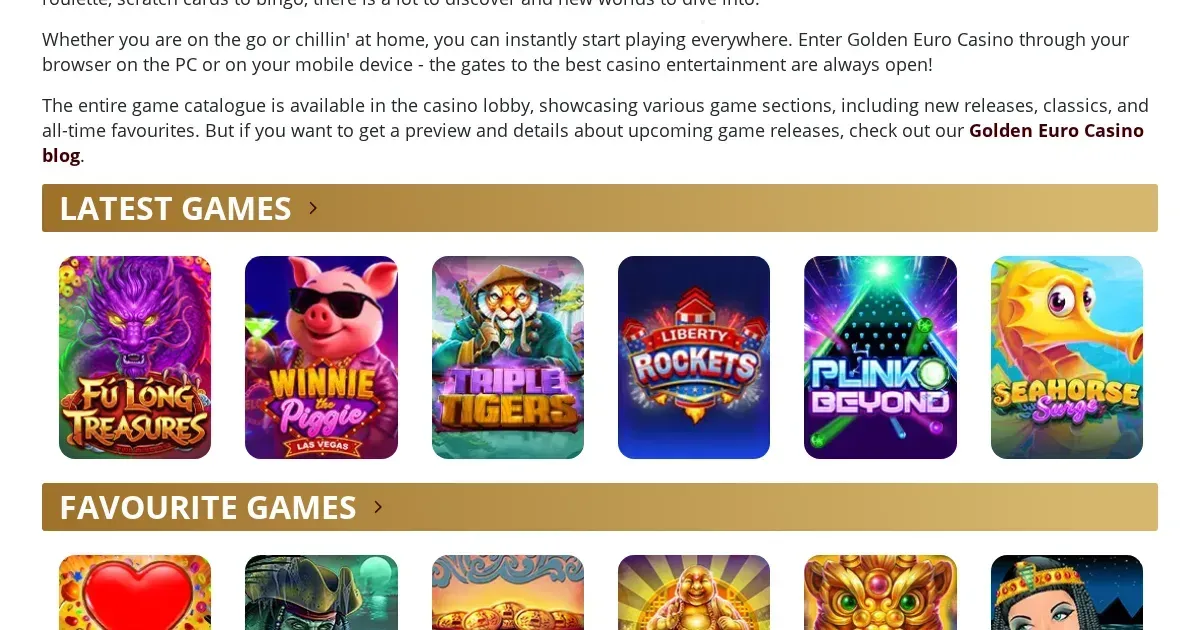
Gouden Casino offers mobile access through a browser-optimised site built in HTML5. The operator does not publish details of a native application for iOS or Android. British players visiting the platform from a phone will use the mobile website, which carries approximately 95% of the desktop game library.
What you can do from a phone at Gouden Casino
The mobile site supports the full cashier. UK players can deposit using any of the ten payment methods the operator lists – Visa, Mastercard, Skrill, Neteller, Payz, Paysafecard, wire transfer, MuchBetter, eZeeWallet, Neosurf and Interac. The minimum deposit thresholds remain unchanged: €5 for Paysafecard, €20 for every other method, and €25 processing fee for wire transfers in both directions.
Withdrawals are requested through the same interface. The weekly cap of €10,000 applies regardless of device. E-wallet payouts (Skrill, Neteller, Payz, MuchBetter, eZeeWallet, Interac) are processed within 24 to 72 hours; wire transfers take five to ten business days. First-time withdrawals trigger KYC verification – government-issued ID, proof of address dated within three months, and potentially payment method documents – which completes within 48 hours during business days but pauses over weekends.
Live chat operates around the clock from a mobile browser and response times average under two minutes. The toll-free phone line and email support (four to six hours) remain available. Customer service at Gouden Casino runs in English, German, French and Italian.
Playing from a phone at Gouden Casino
The operator's game selection on mobile mirrors the desktop catalogue in structure: video slots, classic slots, table games, video poker, live dealer tables, progressive jackpots and specialty titles. The 95% coverage figure means that roughly 285 of the 300-plus games load in a mobile browser. The excluded titles are not named in the operator's published material.
Real Time Gaming, SpinLogic Gaming and Visionary iGaming supply the entire library. RTP ranges from 94% to 97%, verified by iTech Labs. Demo mode works for all slots except progressive jackpots; logging in is not required to test a game. Live dealer tables – twelve in total, covering blackjack, roulette and baccarat – stream through Visionary iGaming's platform and require a real-money session.
Tournament games, listed at twenty titles, are accessible from a phone. The operator publishes no separate mobile-only promotions; the welcome bonus of 100% up to €200 (code GOLDENWELCOME, 35× wagering on the bonus amount) and the monthly reload offer of 100% up to €200 apply equally to deposits made from any device.
The parts that work well on a small screen
HTML5 delivery means no plugin is required. Games scale to portrait and landscape orientations. The cashier interface is condensed but functional: payment method tiles, amount entry, bonus code field and authentication steps fit within a single scroll. Deposit limits – daily, weekly or monthly – are configured through the account settings and apply instantly.
Session reminders, which send periodic alerts of time spent playing, are manually configured by the player and fire on mobile exactly as they do on desktop. Self-exclusion options range from 24 hours to permanent closure and are processed through the same responsible-gaming menu.
The parts that do not
The operator's account currency is EUR. British players depositing in GBP face conversion fees of 2% to 3%, calculated by the payment provider. These fees apply to every deposit and withdrawal; there is no GBP wallet option at Gouden Casino.
The platform is not integrated with GamStop, the UK's national self-exclusion scheme. Players registered with GamStop can access and deposit at the casino. Responsible-gambling tools are limited to the operator's own deposit limits, session reminders and self-exclusion; external blocking software such as Gamban or BetBlocker must be installed separately.
Weekend KYC processing is not available. Verification documents submitted on a Friday evening will not be reviewed until the following business week, delaying first withdrawals by two to three days. This constraint affects mobile and desktop users equally.
Battery, connection and session length at Gouden Casino
Live dealer streams consume more data and drain battery faster than slots. A 4G connection is workable; 3G coverage may cause buffering during live games. Video slots with animated features – particularly those from Real Time Gaming's newer releases – are more demanding than classic three-reel titles.
Session length is uncapped by the platform. Players can set their own session reminders, but these must be configured manually; no default timer is applied. A self-assessment questionnaire is provided in the responsible-gambling section and can be completed from a phone.
The operator was established in 2012 and operates under licence number 1668/JAZ issued by Antigua Online Gaming Association and the Financial Services Regulatory Commission. The platform is available to British players, though the operator cannot legally advertise to UK residents.
Staying in control on a device you always carry
A phone is accessible at any hour, which makes deposit limits more important than on desktop. Gouden Casino allows daily, weekly and monthly caps to be set through the account menu. Once a limit is saved it takes effect immediately; reducing a limit is instant, but raising one may require a cooling-off period.
Self-exclusion can be activated from the responsible-gaming page. The shortest option is 24 hours; permanent closure is processed through customer support. Because the platform is not part of GamStop, self-exclusion applies only to this operator and does not extend to other casinos.
Gambling is entertainment, not a solution to financial pressure or a source of income. If playing ever stops being enjoyable, free and confidential support is available through GamCare at gamcare.org.uk or by calling the National Gambling Helpline on 0808 8020 133 (free, 24/7). BeGambleAware (begambleaware.org) provides advice, tools and treatment signposting. GamStop (gamstop.co.uk) offers free national self-exclusion across licensed sites. Gordon Moody (gordonmoody.org.uk) runs residential and online treatment programmes. Blocking software such as Gamban (gamban.com) and BetBlocker (betblocker.org, free, multi-platform) prevents access across devices. On a shared device, parental-control software such as Net Nanny or Qustodio restricts access for minors.
This content is published for information and marketing purposes. We are not a casino operator, a bookmaker or an organiser of gambling. This page is restricted to visitors aged 18 and over (18+). For free, confidential support with gambling, visit BeGambleAware.org.